Configuring Export Columns
The Columns page is used to define the properties to be included in the report. Any property from a point’s configuration record, current value record, or any attribute of its facility can be included. The top-to-bottom order of the properties in the Export Columns pane corresponds to the left-to-right order of the property columns in the report.
|
Columns Page |
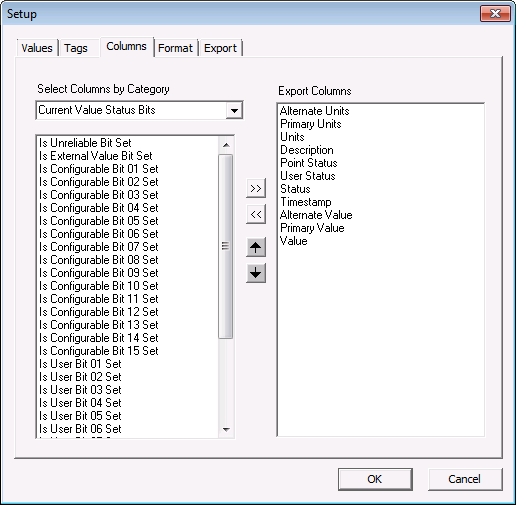
Items to Note
- VHS reports must include the Timestamp.
- Facility attribute column headings must precede point-specific export properties
- If the report format is Simple, Value must be the last column.
- If the PNT service containing the point properties is not running, the report will include the column heading but the contents for the columns will be blank.
The list of items can be modified using the shortcut buttons shown in the box.
| Button | Function |
|---|---|
|
|
Moves the item to the report. |
|
|
Removes the item from the report. |
|
|
Moves the item up in the list. |
|
|
Moves the item down in the list. |


